iPhone 17 Unboxing and First Impressions
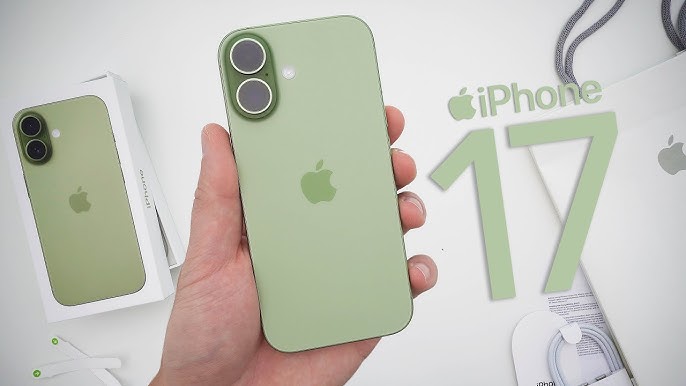
Hi everyone, Aaron here for zolotete and this is the allne iPhone 17. I thought we’d unbox it, talk about what’s new, see how the speakers are, talk about battery life, and just see how it compares to last year’s phone.
Pricing and Storage
Now, this starts at $799, the same price as last year’s iPhone 16, but this year we get double the storage. $256 GB to start or $9.99 for 512 GB. If you buy the unlocked version, it will cost an additional $30 as well. That’s pretty typical on the base models.
Colors and Unboxing
We have five different colors. This is the new mist blue. We also have lavender, sage, white, and black. So, let’s go ahead and unbox it. So, we’ll flip it over here. And let’s go ahead and pull the pull tabs off and let’s take the top of the box off. And this is the new mist blue color.
Inside the box this year, we basically just get a USBC cable to USBC and then just a little bit of paperwork. And basically, this paperwork is telling you that it has an eSIM. Outside the US and in some other countries, it has that as well, but you don’t need a physical SIM unless you’re in specific countries. It also says before using iPhone, review the iPhone user guide. And now it’s pointing you to a different website instead of including a quick start guide. So, we’ll go ahead and put that back in the box here and take a closer look at the phone.
Design and Build Quality
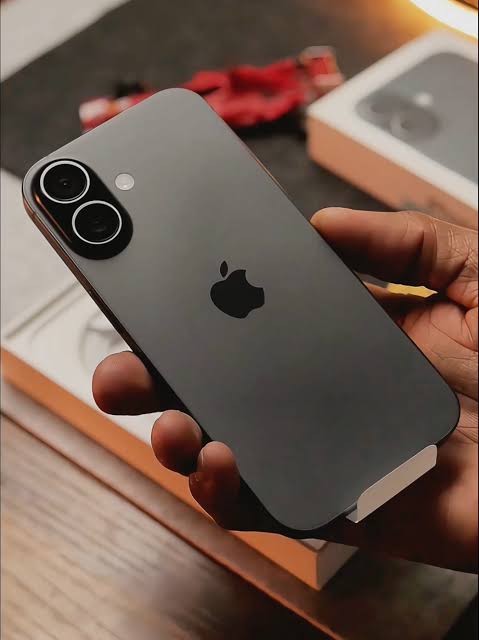
Let’s take the cover off the front. There we go. And this year’s phone is slightly different as far as the overall size. So, what we have here is an aluminum frame or aluminium depending on where you live. And of course, the same sort of thing on the side here. Power, sleep, wake button. We have our camera control. On the bottom, we have our USBC port along with our speakers and microphone. And then also on the left hand side, we have our volume buttons, action button, and then on the top, nothing really other than an antenna line. Of course, we’ve got two cameras on the back, mostly the same as last year. And then we have a new camera in the front.
Comparisons to iPhone 16
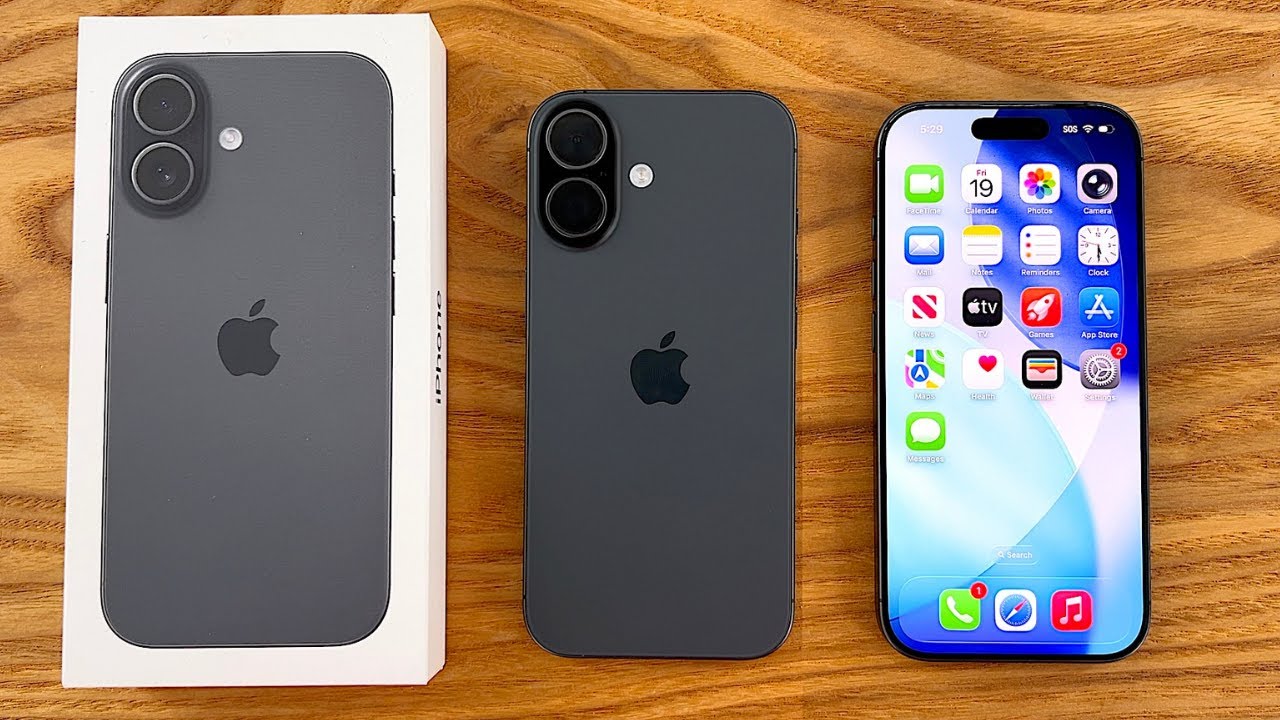
So, we’ll take a look at that in just a moment. But here’s last year’s phone, the iPhone 16. So, side by side, you would think they’re probably the same thing. However, the new iPhone 17 is slightly taller, and I’ll show you that in just a moment. Also here the width and the depth are very very similar. However, the iPhone 17 comes in at 6.24 ounces or 177 gram where the iPhone 16 is 6 oz or 170 g. The iPhone 17 is also 7.80 mm thick or the depth here and the iPhone 16 is 7.95 mm. So very very similar but slightly different.
Display and Durability
Now, we do have an advantage this year with the displays where it’s supposed to be less reflective. So, you might be able to see that in here. So, you’ll see it’s sort of canceling out some of the reflections a little bit better than the iPhone 16 on the left. And then also, we have an allnew ceramic shield on the front, ceramic shield, too. It offers three times better scratch resistance. And we also have ceramic shield on the back for the first time. So, it should be a much more durable phone even though the iPhone 16 was pretty good.
Unfortunately, we still have USB 2 speeds on the bottom here. Just like the iPhone Air, only the Pro models get faster speeds out of the USB port.
Color Vibrancy and Case Compatibility
Now, if we take a look at last year’s colors, they’re definitely more vibrant than this year’s colors. They’re not quite as dull as the previous year’s colors, though. So, I do have one of those here with an iPhone 15, where I even called this sort of a cloud blue and cloud white color. You’ll see it’s a little bit more vivid than that, but still not as vivid as last year’s phone. So, unfortunately, they’ve changed that. I really liked this blue color, but they’ve changed it a little bit.
Now, as far as cases, this is last year’s case. So, again, to show you, it’s a little bit different. You can’t fit the case in or fit the case over the iPhone, rather. So, you’ll see it just doesn’t fit.
Read More:The Scrutiny of Tech YouTube
So, you’ll need to buy new cases. So, it’s slightly taller. It does have a larger battery, so that’s part of that, but that gives you an idea. They just won’t work. So, you could really force that on there, but they definitely don’t fit properly.
One other thing to mention is the iPhone 17 is slightly narrower than the iPhone 16. So, the width is 2.81 81 in or 71.5 mm compared to 71.6 mm or 2.82 in. So, very slight difference there, but again, it won’t fit in those cases.
Display Technology and Features
Now, let’s go ahead and turn on the display. I’ll get it set up in a moment, but we’ll turn this on. And this year, Apple has not compromised on the display at all. We have a 6.3 in display, 2,622x 1,26 with 460 pixels per inch. It now features 120 Hz prootion, has 3000 nits of brightness, that anti-reflective display, and also an always on display. So, basically the same display we’re getting across all the phones, just slightly different sizes, but basically the exact same thing.
Now, I’ll go ahead and get this set up quickly. I’ve shown you the setup. It’s exactly the same as what I showed in other videos, but I’ll set it up with my phone over here. The iPhone 17’s all set up. We’ll swipe to go to the home screen. And this is the default layout. We have the iOS 26 wallpaper for some reason. And then you can see the different applications where this is what they’re showing all of their latest applications such as games and fairly busy as far as the layout, but of course you can customize this.
Display Settings and Pulse Smoothing
Now, let me change a few settings because there’s one setting I’m very excited about that’s on all the iPhone 17s this year. If we go to display and brightness first, let me turn off true tone as I like color accuracy. And then we’ll go to never. Then we’ll go to accessibility display and text size. I’ll turn off auto brightness for right now just for the video so that the brightness doesn’t change. So just so it looks the same.
But we have new display pulse smoothing options here or an option. And you’ll see it says disables pulsewidth modulation to provide a different way to dim the OLED display which can create a smoother display output at low brightness levels. Disabling PWM may affect low brightness display performance under certain conditions. This is something I’ve been talking about for years since the iPhone 10 released. And I’m so happy that Apple finally listened and put this in. It’s been a concern of mine and many others as PWM affects about 1 in 10 people.
You don’t realize it, but your display is always flickering with an OLED display. It pulses that display faster or slower depending on the brightness level. And typically at very low levels, it can really bother your eyes. If it’s at a high enough level, it doesn’t. And Apple has been pretty good to fix that with the latest Pro models.
But in the newest models, you can turn it off entirely. So when I had the iPhone 10, I noticed it is it caused me headaches quite a bit and made me even feel nauseous at times and can just cause eye strain. So now you can turn that off on all the phones. You no longer have to wait for maybe another OLED phone or stay on iPhone 11 as some people are very sensitive to it and can’t even look at the display. And I have that issue on the iPhone 10, but it’s so much better to use. So far, I’ve been using it on the 17 Pro Max and it’s much better overall.
Camera Updates and Dual Capture
Now, the next thing is we have updates to the camera. Now, first let me go into the settings for the camera. Make sure it’s set up properly because there’s a couple new things to talk about within the camera. If we go down to record video, let me just switch it to 4K 60 as that’s an option and turn off HDR just for this video. And then again, if we go down to the bottom here where we have indicators, we now have action mode and dual capture. This is something that’s new and those indicators can be turned off so they don’t show here at all.
So, we have photo in our typical cameras, our 48 megapixel wide and ultrawide with a two times optical zoom, but we now have that dual capture option. And what that is is in video, if we go under video, you’ll see dual capture. It turns on the front camera and the rear camera at the same time. So, maybe you can comment on something. Maybe you want to live stream and share something. You can dual capture on all the iPhone 17 models this year.
We also have a highly upgraded front-facing camera. It’s a new 18 megapixel center stage camera on all the iPhones this year. So, if we spin it around here, not only is it a normal portrait style camera, but it also can go into landscape. And the way it’s doing it is a new square sensor. And this works really, really well. We have center stage for photos and video calls and also ultra stabilized video. The only features we don’t have on the 17 are things such as ProRes video or ProRes RAW or Pro Raw. We don’t have those pro features, but we have all of the other features. So, it’s great to see that.
Battery Life and Charging
Now, with battery life this year, Apple’s increased the battery to 3,692 milliamp hours or 30 hours of video playback. Now, according to Apple, that means you get 8 hours more of video playback than the iPhone 16. So, that’s super impressive. Of course, we’ll have to test that out.
And then charging is improved as well. 50% using USBC with a 40 watt charger or higher. So if you’re using that, you get faster charging there. Or with Mag Safe, with CH2 watt charging, maybe this Belelconin charger, for example, or Apple’s Mag Safe, we should get 50% in 30 minutes. Basically what we had last year via USBC. So thanks to the overall CPU with the A19 design with 8 gigs of RAM and better heat dissipation, it should be much better.
Performance and Benchmarks
Now, the phone’s been processing quite a bit. So, I wanted to show you the heat signature since it’s quite warm and it typically does that when you first sort of set everything up. It’s going to process a lot in the background. So, the overall heat of the device, you can see the overall heat signature. The processor must be up here in the corner, but you’ll see the temperature is quite hot at about 44° C or so. So, it’s going up and down right between about 44°. So, quite warm overall. But, I am running a benchmark. So, as I was setting that up, I started benchmarking and we’re about halfway through. So, I do expect it to get a bit warm while it’s doing that. But, let’s let this finish and then we’ll take a look.
Now, benchmarks completed and they’re not super impressive yet because the phone is still setting up in the background. And I compared it to the iPhone 16 here as well. So, let’s go ahead and turn on dark mode. We’ll add the control here. And side by side with the iPhone 16, we’re at 8,497 for multi-core, 3,249 for single core. Now, this doesn’t look impressive, but keep in mind, this phone is still setting up everything in the background and holding these speeds while it’s very warm. So, it means it will be even faster when things are done. And I’ve seen pretty impressive results. So, it definitely seems to dissipate heat a little bit better and seems to run a lot faster. Now, like I mentioned, this only has 8 GB of RAM here. You’ll see 7.49 with the latest processor, so it should be fine.
And then the GPU benchmark on this one should be significant as well. So, if we go into Let’s cancel that. We’ll go in and run the GPU benchmark and take a look at that since some people wanted to see the difference there. Now, benchmarks completed for the GPU benchmark, and it’s much higher at 36,39 compared to 28,214. Again, keep in mind that’s why the phone is quite hot. But I also ran it on two other phones. So, the iPhone Air is right here. Again, 36,952 on the A19 Pro. And then here’s the A19 Pro with the iPhone 17 Pro. 41,243. So, you can see the spread of the overall GPU speed. Again, this one is still setting up. So, it’s much faster even while it’s trying to dissipate heat and cool down than just the previous phone was by quite a bit. So, that really leads to overall smoothness with the overall transitions. And you’ll see it may stutter a little bit as we have lots of things going on in the background.
For those of you wondering about the size and things compared to the iPhone 17 Pro, you can see side by side, they’re pretty identical here, just in case you were wondering. So, very similar, a little bit thinner, and a little bit different design, but just wanted to share that.
Connectivity and Modem
Now, of course, we have Apple’s new N1 modem in here. We do not have their C1X modem like the iPhone Air, but we do have their N1 modem. So, that seems to be really good on all the phones I’ve tested so far. So, we’ll run a speed test in a moment. And then we have 5G with millimeter wave. We also have Bluetooth 6 with Thread and Apple’s second gen ultra wideband chip.
So, let’s go into speed test. And to reiterate, we had 1100 down on the 17 Pro Max. That’s about as fast as I can go. And I have Wi-Fi 7 and I have 40 megabits per second up. So you’ll see here, of course, some of this is dependent on my network, but you’ll see it’s going up to about 1,00 very close to it, bouncing off of,00 or so. And I would expect 40 down. That’s better than what we see with last year’s phone. So we’re getting around 1,000. So seems to be a little bit faster with the N1 modem. Again, right up to about 40 or so. I wish it was faster, but that’s what we have where I am currently. So that’s well within the range it should be. It’s usually 35 to 40, so depends on the time of day, of course.
Speaker Test
The other thing I thought we’d test is the speakers, as we found that on the iPhone 17 Pro Max, the speakers were about 10 to 12 dB louder than the previous generation. So, let’s go ahead and get that set up. So, first we’ll test the iPhone 16. Let’s try it out here. So, you’ll see I have the iPhone 17 ready to go, but let’s go ahead and try the 16 first.
Now the iPhone 17. So, both are basically the same speaker. They sound very similar. They definitely get a little distorted at the highest volume. and they were bouncing off 99 to 100 dB or so, which was a little bit higher than what I got on the 17 Pro Max, but they definitely don’t sound as good as the Pro phones, but overall pretty good. Just a little distorted at the highest end.
Wallpapers and Customization
Now, let’s take a look at the included wallpaper. I’m not really sure why they don’t set this by default, but if we go down to wallpaper, we should have a new one for this particular device. Again, it’s taking a moment to populate them here, but under collections, we should have one right here once it populates here. I guess we could go into it and give it a second. There we go. And that’s the color for this device. This one says mist blue, but we also have white. We have black and then also sage and lavender.
So, if we switch maybe to mist blue, we’ll just set it like this default. And we usually have a really nice animation when we go into it. So, if we go home, you’ll see here if we lock the screen, we’ve got that always on display. Let’s swipe up. And I don’t see any animations. It animates a little bit there, but if we swipe up, you can see what it looks like. Also, if we switch to dark mode or switch off, let’s see if anything changes. I don’t see any changes there whatsoever. But overall, pretty nice.
And then finally, I wanted to show some customization. So, if we press and hold, go to edit, go to customize, and go to tinted, and then we now go go to this new case option here, you’ll see that if I place a case on it, one of the default Apple cases. So, I’ve got two of them right next to me. We’ve got two options. Let’s see what it does. It should tint automatically to the sage case here. So, let’s place this in. Let’s see. We’ll lock it. We may have to have it recognize again. We’ll try it one more time here. There we go. It recognized the case. And if we swipe home, now we have a green matching tint.
It should do the same thing with purple. So, if I take this off, now if I place the purple case on, it should do the same thing. Recognize that. There we go. And now, if we swipe home, everything’s tinted to match the purple case. So, it’s a nice little touch there. Hopefully, they’ll add that customization in the future, maybe for third parties. I doubt that, but I would love to see this in pretty much every case. So, I think that’s just a nice touch. I don’t typically use the tinted icons, but I think it’s just a nice little attention to detail there.
Initial Impressions and Value
So, initial impressions of the iPhone 17. This is by far the best value we’ve seen in iPhone for a long time. It includes all of the things you would want from the Pro phones, including the Pro display with the 120 Hz prootion. We’ve also got a larger battery. We’ve got two cameras instead of the one on the iPhone Air. And we also have much of the same features minus the telephoto zoom camera. We even have the forward-facing camera. So, I think this is by far the best value for those that don’t care about pro features, but would rather just have a great phone overall, and you really won’t miss much from this unless you use that telephoto zoom lens.
You’ll get a little bit more battery if you were to use something such as a Pro Max. But if you don’t care about that, you want compact and reasonably priced, especially through your carrier, where I’ve seen many places are actually giving these away for free, sometimes even without tradein, these are great options. So, let me know what you think of the iPhone 17 this year. Are you picking one up? I’d love to hear from you in the comments below. I’ll link this wallpaper in the description like I normally do. And if you haven’t subscribed already, please subscribe. And if you enjoyed the video, please give it a like. As always, thanks for watching. This is Aaron. I’ll see you next